|
Volume 6, Issue 2 — February 26, 2015
|
Aeiforia Technos
Editorial
Editorial
|
|

|
The Reality of Virtual Reality
By Raymond Kent
Managing Principal, Sustainable Technologies Group
Microsoft recently unveiled a series of commercials surrounding the long anticipated and much rumored HoloLens VR 3-D headset at both IES 2015 and during Super Bowl commercials in addition to press tours and the other typical Microsoft product showcases. This is on the heels of others such as Facebook’s recent purchase of the Oculus Rift (for a mere $2 Billion), Sony’s Project Morpheus, and Samsung’s Gear VR. Currently only the Samsung product is available with mixed reviews. These products represent a major bet by some big hitters as to how we will interact with our world and the information surrounding it. Microsoft pitches this as the next wave of computing and they certainly seem to be pushing boundaries. Windows 10 (the next flavor of their operating system) is more cloud/subscription based than software living on a CPU and they recently released their own brand of all in one wall mount 55-80” multi-touch monitors with built in CPUs and wireless connectivity that will directly interface with the HoloLens. What makes these devices different than previous attempts are the kinetic interaction capabilities play into the use of the device. The HoloLens take operating cues from Microsoft’s successful Kinect device by providing gesture based control as well as eye movement tracking over the operating system and apps planned for Window’s 10. These devices don’t just give you high resolution videos to place you in a virtual world but overlay onto the real world as well and let you interact and annotate in a way that has never been done before.
These devices are promising to revolutionize six distinct areas. For gaming, the most obvious one, it promises an immersive three dimensional experience that takes up the player’s entire field of view and will put them in the driver seat in a whole new way. The military applications are also pretty obvious and are already in use in many ways including remote operated vehicles and tactical battlefield assessment. This tags along to the entertainment sector in which patrons don 3D immersive wearables that put them in the best seat in the house no matter where they are in the theater. This was recently seen at the latest Sundance Film Festival where eleven films were screened using the Samsung Gear VR equipment and Samsung has already provided a sizable library available for immediate use with their product.
The bigger areas of disruption as I see it are in the education, medical, and corporate markets. Although the medical field has been using VR for some time now, the systems have been very expensive and rather clunky at best requiring massive amounts of computing power and specialized rooms and equipment. These new products will advance tele-medicine capabilities, surgical techniques, and provide opportunity to better explain diagnoses to patients in a more informative graphical manner. In the educational markets, the opportunities can be seemingly endless. Students will be able to take virtual tours of planets, inside cells, visit historical events, or even modern day event hotspots without leaving the classroom at an affordable price. Lastly is the corporate environment providing virtual collaboration opportunities in a 3D environment allowing more than just seeing your counterparts in 3D but actually sharing 3D models and giving virtual direction to the far-end.
So what does this have to do with sustainability? For one, it provides opportunity to reduce the amount of required technology within an environment or replace systems with more efficient gear that uses less power and generates less heat. It also has the potential to dramatically reduce travel even more than has been accomplished through video conferencing systems. The biggest questions in my mind are how the devices will match up to existing systems and will the devices be upgradable without having to toss the entire device. Planned obsolescence would be a major downside to this potentially revolutionary disruptive tech.
What will be most telling as to the success of the technology is if markets during their upgrade cycle will take this on and implement it or continue with a strategy of business as usual. Some of the options are being decided for them (Windows 10) while others make some financial and operational sense. The hurdle may be the pipeline and how much information will be required and will the infrastructure provide enough bandwidth to not make this seem clunky and unusable. What are your thoughts on these new devices? Do you see them as revolutionary or just a gimmick?
Raymond Kent is the Managing Principal of Sustainable Technologies Group, LLC specializing in technology systems for the performing and cultural arts, healthcare, Government, higher education, and corporate markets. He is a co-author of the STEP rating system and serves as the chair of the Technology Task Force for the STEP Foundation. Raymond received the 2012 InfoComm Sustainable Technology Award and is involved with the Center for Sustainable Practice in the Arts. Leave a Comment


Share Article
Back to Top |


Click above to learn more
|

|
Three Facts You Should Know to Intelligently Automate your Building
By Richard Blackwell
Very few buildings even today are intelligently automated, and the few that do are the large showcase projects. Are you building new office space, or perhaps refreshing a couple floors at a time of your current space? If yes, take two minutes to let me share experiences of 30+ years in automation and I will explain why its not getting done today.
First I will tell you that to intelligently automation a building the system is working against you, because truthfully you don’t know what you don’t know and a low bid plan means that the winning contractor is typically not going to share changes that will hit their bottom line – they are going to provide exactly what is in the contract, nothing more, nothing less. The next challenge is that seamless automation is not anywhere close to main stream, and so designers are not yet experienced in how to make that happen for any size building. Finally, many equipment combinations are just not compatible (say what?), so what seems to be simple integration is often difficult if not impossible.
What is typically done today in most any standard building is:
- HVAC is automated, but stand alone*.
- Lighting is automated, but stand alone*.
- Access control is automated, but stand alone*.
- Audio Visual is automated, but stand alone*.
*By “stand alone” I mean that system is not making decisions based on information from the other systems.
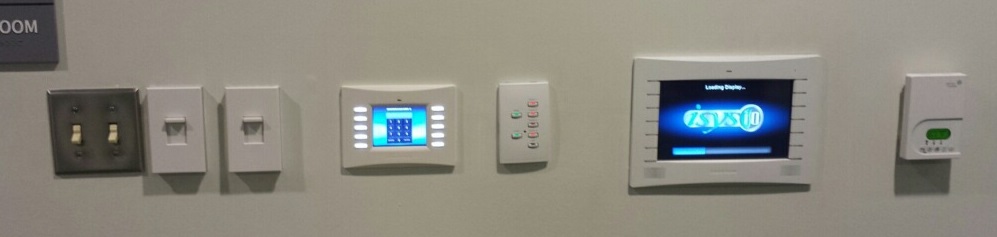
I bet you may be looking at something like this wall clutter (image below) in your own building today, and wondering why all these control points could not be combined or even removed entirely? Please Read on…
This recent customer in the image above paid a lot to get high tech stuff in the building, but the problem is the trades don’t communicate and they many not have been in the building at the same time during build out. There was a lot of finger pointing with this, but the contracts were met and the customer would have to come out of pocket to bring all this together. This common scene is unfortunate, but very common today even with honest attempts at practical integration. Truth be told fully integrated intelligent automation is cutting edge and finding a design team that can do this is a challenge, and frequently lost in the value engineering phase. Fear not because you can still bring this about with a little knowledge on how the “build out system” really works, and some easy informed planning.
Hand this list over to your building design committee and you will be well ahead of the standard building today;
- HVAC should be centrally controlled by a central Building Automation System (BAS) using BACnet the ASHRAE standard for building communications.
- HVAC will gather occupancy status from the lighting control system via BACnet. There will not be separate occupancy sensors for both systems in the same spaces.
- Lighting Control will communicate with the audiovisual (AV) systems in each space AV installed. The AV system should have the ability to dim lighting appropriate to presentation media needs.
- Occupancy sensors will perform a majority of lighting control. Schedules should control common areas (e.g., main lobbies, elevator lobby, hall ways, exterior signage and architectural lighting ).
- Beacons working with occupancy sensors will recognize user roles and offer more or less control on touch panels in AV integrated spaces. Beacons will also provide employee location and tracking.
- Access control informs the building when known users enter and leave. The BAS will turn on and off unused spaces as users leave (overridden by occupancy sensors).
Ok so no simple list of this few items could be the perfect system, but I’m telling you that these are the items that are missed most often and if you get this entire list your building is in the 1 percentile.
The author Richard Blackwell began his automation career at sea with the U.S. Navy as a Nuclear Propulsion Plant Supervisor. Later he was awarded the first patent for videoconferencing integration of banking systems. The next stop was with the brand new Saturn Car Company where he envisioned and created GM’s first intranet web based automation. For almost two decades now he has been driving the message for the merge of all low voltage services in buildings, and intelligent integration of all building automation. Leave a Comment
Share Article
Back to Top |
|
|
Five Steps to Greener and more Intelligent Parking Decks
By Richard Blackwell
Parking Decks are likely one of the last buildings you think of when considering building automation, but they are a prime opportunity for Iintelligent use of automation for enhanced safety, energy conservation and light harvesting.
This is what you should be considering when you build your next parking deck:
- Green – Light Harvesting
- Lamp Dimming
- Solar Tubes
- Green/Safety – Occupancy Activated Interior Lighting.
- Convenience – Entrance Light Level Step for easy eye transition. All lighting control is Automatic.
- Performance – Remote Monitoring from the Cloud.
- Access Control – with RFID access control occupants can be directed to available parking spaces.
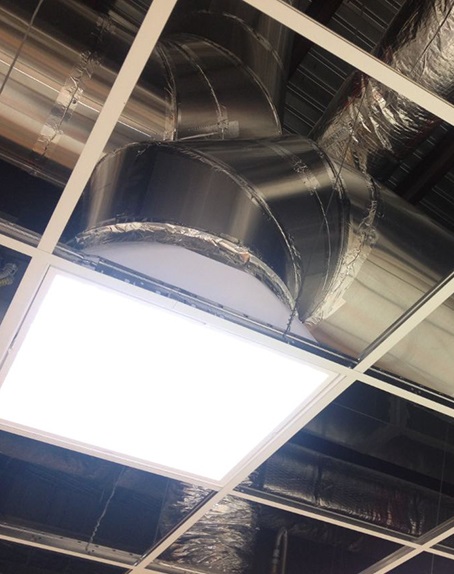 Light Harvesting – Like any building, a parking deck can use sunlight to more efficiently illuminate the interior. Active light harvesting senses that the light level outside the building is providing sufficient lumen levels to safely reduce the interior lamp levels in affected edge space. Passive harvesting comes from the use of light collecting tubes on the top of the deck that will pass light to the covered areas that never see sunlight. Light collecting tubes have almost no cost of ownership, long life space, are easy to retrofit and direct sunlight to space that would otherwise use energy to light. See more here on the importance of natural light.
Occupancy Activated Lighting – Typical green lighting protocols require occupants to manually turn on the space lighting, but in a parking deck, security concerns override the environmental concerns. Occupancy sensors with short timeout’s shift the lighting from minimal levels to occupied levels when they see motion and then return it back to minimal levels when the area is vacant. Light harvesting logic ties into the decision process of how much to lower lamps when empty on a bright day.
Convenience – In a totally automated environment there is no need for manual control of lighting after hours. Another convenience is lighting at the entrance/exit that steps light levels up slowly when entering at night and the reverse during the day – this helps customers to more quickly adjust their eyes to the change in light levels.
Performance – An intelligent automated system is aware of it’s status and can share that information with assigned maintenance personnel. For example; By tracking energy usage of each zone in the system maintenance can be alerted when bulbs fail – indicated by reduced energy usage. Additionally Phase Loss monitoring alerts maintenance to electrical failures.
Access Control – Using access control designated users can be directed to reserved parking by lighting a path to the assigned area. With more advanced tracking available spaces can be monitored and users directed to a specific space (coming to a Parking Deck near you).
OK Conversations on intelligent parking decks may not be the most exciting topics, but who hasn’t been alone in a scary dark parking deck late at night and thought “… I wonder if they are harvesting sunlight?” Leave a Comment
Share Article
Back to Top |

|
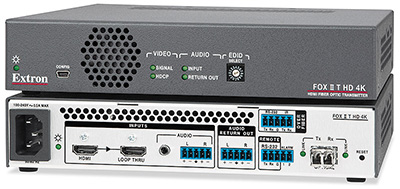
| Extron Announces Next Generation Fiber Optic Extenders for 4K Resolutions Extron has launched a new FOX II 4K Series for extension, switching, and distribution of 4K video, multi‑channel audio, and bidirectional control signals over fiber optic cabling. The series includes the FOX II T DP 4K and FOX II T HD 4K fiber optic transmitters for DisplayPort and HDMI, as well as the FOX II R DP 4K with a Type 2 dual‑mode DisplayPort output to support DisplayPort and HDMI 4K resolution displays. They use Extron all‑digital technology for reliable delivery of video resolutions up to 4096×2160, including 1080p/60 with Deep Color. To streamline integration, these extenders are HDCP‑compliant, and provide similar capabilities featured on the Extron FOX Series fiber optic products.
The FOX II 4K Series fiber optic extender provide signal extension for moderate distances of up to 2 km (1.25 miles) over multi-mode fiber optic cable and extreme distances up to 30 km (18.75 miles) when using single-mode cable. Both transmitters include a buffered loop‑through for a local monitor at the source. The buffered input loop‑through follows the input resolution or can be selectively downscaled, ensuring interoperability with lower resolution displays. Also, the FOX II R DP 4K provides audio de‑embedding and balanced return analog stereo audio output to support a remote audio source at the receiver. Other integrator‑friendly features include Key Minder, EDID Minder, audio embedding, audio gain and attenuation adjustment, bi-directional RS‑232 and IR control and real‑time system monitoring. Also, optional mounting kits such as the MBU 125 under‑desk mounting kit allow signal extension from a source in a lectern to a remote display or central control room. These extenders are easy to set up and commission using Extron’s PCS — Product Configuration Software.
Here are all the tech specs. Leave a Comment
Share Article
Back to Top |
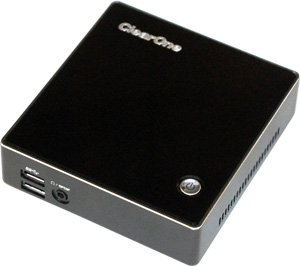
| ClearOne Releases VIEW Pro D210 Decoderfor Digital Signage ClearOne is starting to ship their new “value-priced” VIEW Pro D210 decoder that enables high-quality, low-latency media streaming over existing IP networks.
ClearOne is describing this as a cost-efficient network device used for digital signage applications where common content is repeated over multiple displays and may not need professional-level audio amplification, or third-party equipment control. Such applications include displays at airports and transportation hubs, hotels, casinos, and shopping malls.
The newest addition to the ClearOne line of professional streaming components, the economical D210 decoder, incorporates some of the same performance features as the larger VIEW Pro D110 decoder including 1080p60, H.264 high-definition HDMI video-audio, and 4:4:4 true-color output — the platinum standard for color. It is an attractive compact device that can be easily mounted behind any display.
Complementing the VIEW Pro System, VIEW Virtual Matrix Software displays a simple view of the entire networked media system on a single screen, and provides simple source and destination selection and control options in Windows, Android, and iOS for StreamNet encoders and decoders. Users have control access from any number of input devices, including wall touch-screens, desktops, laptops, and handheld devices.
With the addition of this economical decoder, ClearOne continues to be truly differentiated in the professional market by offering complete AV streaming and distribution systems that can scale to fulfill projects of any size and complexity, from light commercial to the very largest environments. ClearOne’s media streaming solutions deliver agility, flexibility, and scalability for networked media of all types.
More details on the new ClearOne VIEW Pro D210 Decoder are here. Leave a Comment
Share Article
Back to Top |

Click above to learn more
|
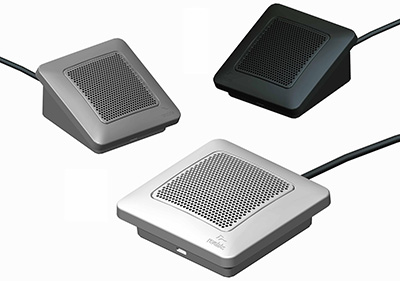
| Revolabs Now Shipping Elite Wired Microphones Revolabs today announced that the company is now shipping its new line of Elite Wired Microphones.
Available in black, white, and brushed nickel, Revolabs’ tabletop Elite Wired Microphones bring sound capture to any conferencing or unified communications (UC) application. Released in omnidirectional or directional (cardioid) models, the devices follow the same form-factor and design as the Executive Elite series. As a result, participants gain exceptional sound quality that is resistant to GSM noise.
The microphones also offer an optional mounting adapter to provide lockdown capability for settings requiring fixed microphone locations and can be used in tandem with Revolabs’ entire wireless solutions portfolio. As a result, installers can easily increase the maximum number of microphones available within a single space while combining wireless flexibility with the security of the wired microphones.
More details are here. Leave a Comment
Share Article
Back to Top |
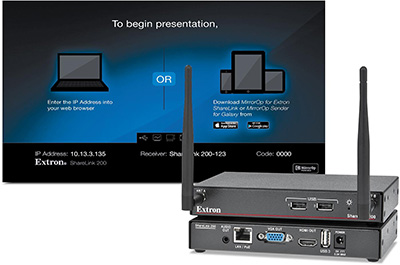
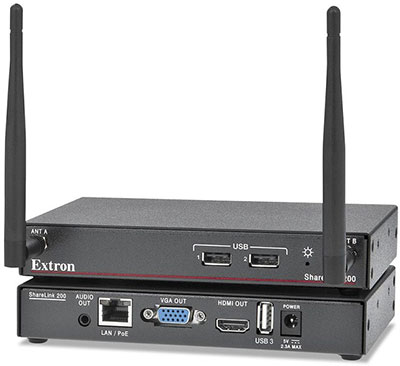
| Extron Ships ShareLink 200 Wireless BYOD Collaboration GatewayA couple of months ago, we wrote about Extron’s entry into the wireless sharing world and told you how this one was different than those from Crestron, Barco and AMX since it includes a moderator mode, 30 fps video playback and because of the fact that you can share content to up to four ShareLink receivers at the same time.
Well, they are now shipping it. Like the others, it’s using the AWIND technology, but that’s where the similarities stop. Extron’s ShareLink 200 Wireless Collaboration Gateway supports devices include Windows and OS X computers as well as Apple and Android smartphones and tablets. ShareLink technology provides simultaneous display of presentations, images, documents, and other content from up to four different personal devices, eliminating the need to constantly change sources during a session. Content from a single device shows full screen, and content from multiple devices appears simultaneously in four windows on the display. Any user can share content and control the presentation when it is set to collaboration mode. A moderator mode ensures only approved content is displayed. Designed for professional AV applications, this wireless gateway also includes many integrator-friendly features such as an integrated wireless access point, Power over Ethernet — PoE, and antennas mounted on the front panel. The ShareLink 200 Wireless Collaboration Gateway can be used to create a stand‑alone wireless collaboration and presentation system or to add wireless presentation capabilities to a variety of wired AV system designs.
A unique feature called WebShare enables content to be sent over the network to a Web browser on each attendee’s personal device. WebShare is useful if the sight line to the display is impaired or when slides need to be saved for future reference. ShareLink technology also allows a Windows or OS X computer to communicate with multiple ShareLink 200 units on a network to send the same content to as many as four displays. This is useful for larger spaces with multiple displays or to support adjacent rooms used for overflow. For easy integration into modern digital and legacy analog systems, ShareLink 200 includes HDMI and VGA video outputs to support a wide variety of display devices and system switchers.
Here’s a good demo of how it works. Leave a Comment
Share Article
Back to Top |
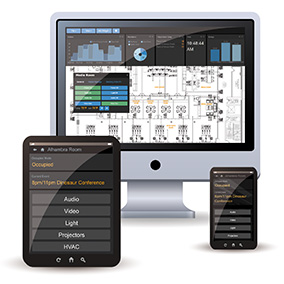
| Medialon to Launch New Overture Control System at ISE Medialon’s new Overture is being marketed as a first of its kind “enterprise-class AV Control Software.” Medialon Overture is an effective enterprise-wide AV control software. It controls, monitors, and automates thousands of AV devices in multiple locations, integrates with IT services, and delivers a dedicated person-based user interface.
Overture eliminates the cost and burden of hardware boxes by controlling all AV devices via TCP/IP. It is “company wide,” centralized, connected to Microsoft Exchange for room booking, Microsoft Active Directory for credential management, SNMP for logging, and Building Management systems for environment control and energy savings.
Medialon says that Overture uses standard IT technologies both for hardware, allowing the use of smartphones and tablets as user interfaces, and for programming,
allowing users to set up and edit their Overture system themselves. Overture is database-driven and relies on configuration for most of its functionalities, eliminating heavy programming. User interfaces are automatically and dynamically generated from information in the database, user credentials, and room booking information.
Medialon will demo Overture at ISE in the Comm-Tec stand at ISE 2015 (#2-A42) but all the details are here. Leave a Comment
Share Article
Back to Top |
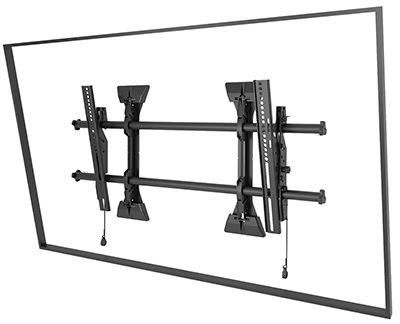
| Chief Says It’s Made Fusion Mounts Even Better Chief has just announced a major upgrade to their Fusion mounts to include more installer-friendly. The new fixed and tilt mounts still include the original features of Fusion including Centerless lateral shift, ControlZone height and roll adjustment, Centris low profile tilt and ClickConnect tool-free latching.
The new features include:
- Super stability — included set screws can be used to keep the mount rigid and stable throughout the life of the installation
- Nesting spacers — can be stacked to achieve any depth and reduce waste
- Faster installation — integrated teardrop design speeds up and eases installation through use of lag screws
- Quick-store cords — magnetized ClickConnect makes it easy to store and access pull cords
- Improved cable management — redesigned end caps allow cables to be routed behind the poles
- Additional lateral shift — shifts wall plate around electrical and low voltage boxes on the wall
- Enhanced security — integrated security lever makes safeguarding displays easier
- Easy-reach handle — provides better accessibility to ClickConnect on extra large mounts
- Better packaging — when displays will be mounted at a later time, hang the new interface hardware box on mount rails without losing pieces
All the details are here. Leave a Comment
Share Article
Back to Top |
| Chief Updates the Integrated Interactive System for Epson BrightLink at ISE 2015 Chief will show an updated Chief Integrated Interactive System, an all-in-one design that brings together Chief mounts and Da-Lite screen technology to create a unified solution for the new Epson BrightLink Pro 1430Wi and Brightlink 595Wi. For one, the Da-Lite board surface is now optimized for this finger touch capability in addition to the pen options. Available in two screen sizes (87” or 100”), the AN2 is available in an aluminum, teak wood, cherry or mahogany finish.
Other features include:
- Da-Lite IDEA screen technology
–Gain of 2.5 and a 25 degree viewing half angle
–High performance dry erase marker surface
–Certified by GREENGUARD Environmental Institute as a low emitting product
- Floating board design
–Cables route behind the board instead of inside walls
–Height-adjustable integrated side panel stores control panel, stylus (2), and markers (3)
–Marker tray attaches anywhere along length of the board to customize for the user
- Chief PreSet installation technology
–Wall bracket locates the entire system on the wall for fast placement without calculations
–Preset projector arm takes the pain out of aligning the projector image
–Chief RSM projector mount for fine-tune image alignment
–Valance hides projector and cabling for a clean appearance
Here are all the options. Leave a Comment
Share Article
Back to Top |
| rAVe Scoop: Jupiter Systems Debuts Canvas CRS-4K Wireless Collaboration System at ISEWe have an ISE scoop as high-end videowall and collaboration system manufacturer, Jupiter Systems brings technology down to small meeting room-sized applications with its new Canvas CRS-4K. Yes, 4K stands for 4K resolution. This will be the only huddle-room system that does 4K BYOD – so you can display found 1080p native screens simultaneously with the Canvas CRS-4K in a 2 x 2 configuration on a 4K projector or flat-panel.
We were given this scoop while i was on a videocast with Jupiter Systems’ VP Marketing & Strategic Alliances, Brady Bruce. In addition, he told us all about the new Canvas 3.0 software suite as well as the fact that the Fusion Catalyst 4500 now supports HDCP.
All of it is in this videocast here. Leave a Comment
Share Article
Back to Top |
| Sharp Intros 70″ 4K Ultra HD With PN-H701 Sharp has launched its first pro-grade 70″ UHD resolution (3,840 x 2,160) display first professional grade LED-lit LCD. Using an ultra-slim aluminum bezel, it’s designed for 24/7 operation. Measuring just 9 millimeters (top/right/left), Sharp says it’s the narrowest, thinnest and lightest display in its class. It can be used in both portrait and landscape formats, as well as up to 20-degree upward and downward tilt.
The Sharp PN-H701 comes equipped with built-in upscaling capability, allowing Full HD (1080p) signals to be easily upscaled to 4K Ultra HD images. In addition, the PN-H701 features a built-in USB and internal memory media player, allowing playback of informational content without the need of a PC.
It ships later this month and all the specs are here. Leave a Comment
Share Article
Back to Top |
| Extron and Crestron Settle Patent Infringement Lawsuit Note: Originally, we posted that Crestron would have to replace retractors previously sold to customers in the field. A Crestron representative told us this morning that this is not the case. Our original post was incorrect and we apologize for misunderstanding the Extron press announcement. Below, is the actual, original press release from Extron that explains the settlement:
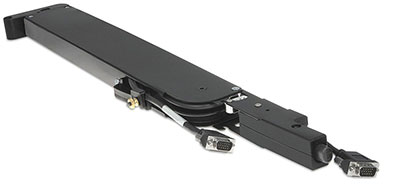
Extron yesterday announced the settlement of its patent infringement lawsuit against Crestron Electronics. The lawsuit, filed in June 2014, alleged willful infringement of Extron patents related to the company’s Retractor product line. The settlement includes a cash payment to Extron, and a requirement for Crestron to withdraw its prior cable retractor models from the market and fully replace the lineup. The revised Crestron cable retractor utilizes a less precise, all-or-nothing mechanism that eliminates intermediate cable length positions between zero and full extension. In comparison, the Extron Retractor remains the AV industry’s premier cable retraction module, offering infinitely-variable cable extension from zero to full extension for a superior user experience.
“We’re pleased to bring this suit to an expedient and positive conclusion,” says Andrew Edwards, President and CEO of Extron. “Much as any market leader, Extron will vigorously protect our technologies and intellectual property against those who choose to simply copy our designs.”
Introduced in 2009, the patented Extron Retractor series of cable retraction modules, in conjunction with the company’s Cable Cubby line of cable access enclosures, is the AV industry’s leading solution for discreet, convenient access to AV, power, and data connections. The Retractor series offers the widest selection of AV and data connectivity including HDMI, DisplayPort, VGA, VGA + Audio, USB, PC audio, CAT 6 Network, and DC power. Extron Retractor modules are available in two versions: Standard, with cable extension up to three feet (90 cm); and XL, with cable extension up to five feet (152 cm). In addition, Extron offers the unique Retractor SM line of “Show Me” cable retraction modules for use with the Extron TeamWork collaboration system, with versions for HDMI, DisplayPort, Mini DisplayPort, and VGA sources. Extron Retractor modules are the most reliable and best engineered AV cable retractors on the market, allowing the cable to retract smoothly and effortlessly with a push of a button.
Extron’s retractor cables are here.
Crestron’s are here. Leave a Comment
Share Article
Back to Top |
| TrueConf Issues 2015 Video Conferencing Market ForecastIf you look at the range of infrastructure solutions by major video conferencing system developers, you will see that the transfer from specialized hardware VC infrastructure towards software, cloud services and VM solutions is already a reality. It is time to move forward and understand how the acquisition cycle between the IT and AV industries – along with the ‘softwarization’ of videoconferencing – will affect the video conferencing market in 2015. Here are five of our top predictions.
Forecast #1: The prevalence of SVC-based architecture
The number of VC endpoints connected to systems built on Scalable Video Coding (SVC) technology will outnumber the endpoints dedicated to classic mixing schemes (MCU) in 2015. The new architecture makes use of the extended capabilities of video codecs such as the H.264 SVC and VP8 SVC codecs, which allows video streams to be processed on the server side without re-encoding. This effectively lowers the cost of video conferencing infrastructure, cancels the limitations regarding the number of connected endpoints, and eliminates delays and visual artifacts caused by signal re-compression on MCU.
Forecast #2: All-purpose PCs will replace the video conferencing endpoints in meeting rooms
Our proof is in the recent announcements introducing Microsoft Surface Hub, Google Chromebox for Meetings. Users do not care what enables video conferencing features on the endpoint, whether it be software with high quality peripherals, or a dedicated VC terminal. When there is no noticeable difference, people see with their wallets. That is why the majority of new modern conference rooms (with the price tag under $15.000) will be equipped with widescreen 4K displays, an integrated or dedicated PC, and special software which enables meeting and brainstorming, whiteboarding, and all other video conferencing features.
Forecast #3: A world of AV peripherals to choose from
This is a direct consequence of the previous point. Previously, cameras, microphones, speakers, etc. could be connected only using their own proprietary ports that usually were not interoperable with solutions from different vendors or even with different product series by the same manufacturer. With the introduction of PCs in the meeting rooms, we get the ability to connect anything via USB, HDMI or analog ports, and also by using wireless technologies like Bluetooth, Miracast and WiFi. There is now a huge range of plug-and-play PTZ cameras, speakerphones, content capture devices and even camera-speaker-phones (see latest Logitech announces). Moreover, those peripherals are as good as the old video conferencing hardware, in terms of content, video and audio quality.
Forecast #4: The advent of UltraHD 4K and mobile video conferencing
Those may seem like two separate subjects, but in reality, they are closely connected. The key feature of SVC architecture is the ability to deliver video streams to multipoint conference participants in both the original resolution, and in any lower resolution. This allows for the creation of a dynamic video window layout with the total resolution starting from 120p and scaling up to 3840×2160 (4K) or higher. The same conference can be accessed without the need for re-encoding from any device, and with great resilience. For now, though, this feature is available only in software VC solutions built on modern SVC architecture, which gives those solutions an advantage.
Forecast #5: New work scenarios – from planning to delivery
In 2013 and 2014 we saw how quickly video conferencing systems entered workplaces and mobile devices. The classic scenario of booking a conference room and planning the meeting with an overloaded web interface seems to be receding into the past. In the era of Skype, users demand the same comfortable interface, the ability to call to phone numbers, and to be able to use contacts list with presence statuses. In 2015, easy to use or browser-based conferencing, address books, integration with telephony, calendars and streaming platforms brought together by a comfortable user-friendly interface will become standard features for any respected video conferencing and UC vendor. Softwerization, SVC, WebRTC, support for SIP protocol, and basic UC principles will help.
Want to know more? Turnoff is here. Leave a Comment
Share Article
Back to Top |
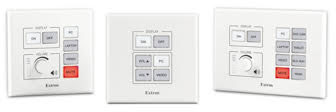
| Extron Introduces Five MediaLink Plus Controllers – All Ethernet Device Control and PoE Extron has launched five new MediaLink Plus controllers. The MLC Plus 50, 100 and 200 are sleek, fully configurable Ethernet controllers with beveled edges, rounded corners, and backlit buttons. While the MLC Plus 50 features backlit Up and Down volume buttons, the 100 and 200 models feature a multi-function volume knob for smooth, precise control of select Extron amplifiers, ProDSP-equipped Extron products, and a wide range of audio devices. As part of the MediaLink Plus Series, all of these controllers are loaded with features and enhanced security, making them ideal for handling common AV functions such as display on/off, input switching, volume, and Ethernet control of AV devices. Magnetically-attached faceplates hide the mounting screws giving the controllers a refined, uncluttered appearance. Power over Ethernet allows the controllers to receive power and communications over one Ethernet cable. The MLC Plus 100 and 200 are also available in AAP versions; providing openings for up to four, single space Architectural Adapter Plates for numerous connectivity possibilities.
All of these new MediaLink Plus controllers are configured using Extron Global Configurator Plus or Global Configurator Professional software. They also integrate seamlessly with Extron’s award-winning GlobalViewer Enterprise software for complete AV resource monitoring, management, and control over a computer network.
Here are all the tech specs. Leave a Comment
Share Article
Back to Top |
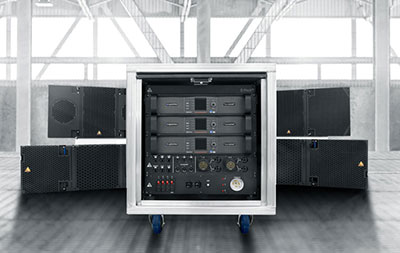
| Adamson Provides Power, Processing And Networking With New E-Rack Adamson Systems Engineering has released a new so-called unified rack solution that interfaces with and powers the full range of Adamson loudspeaker products. The E-Rack will debut at ISE 2015 in Amsterdam, this week.
The E-Rack incorporates processing and amplification, combined with I/O and industry standard power connections. By utilizing Lab.gruppen’s new PLM+ line of amplifiers with features such as Rational Power Management and Dante capabilities, Adamson engineers have created a rack that can be used interchangeably to power all Adamson inventory. Whether the application is big or small, the Adamson E-Rack can power it.
E-Racks are sold in 8 channel or 12 channel configurations, and can be modified to include either PLM 12K44 or PLM 20K44 amplifiers, as well as region specific power distribution units. A personal license for Adamson’s Blueprint AV software is included with each E-Rack.
The Adamson Audio Panel allows full use of the quad-redundant signal capabilities the PLM+ line of amplifiers has to offer. Both Neutrik Speakon NL8 and 19 pin Socapex output connectors are standard.
A rear-mounted gigabit Ethernet switch handles all Dante and control signal. The switch is capable of handling up to two racks worth of dual redundant Dante signal and is pre-loaded with firmware to make this system truly plug-and-play.
The E-Rack features a welded aluminum frame designed to withstand the rigors of the road. Each wooden panel is fully removable and replaceable in the event of damage. Both doors are hinged and swing upwards to slide into a slim housing at the top of the rack. The interior steel 10U frame is rubber shock mounted to ensure the mechanical and electrical integrity of all components.
Here are the details. Leave a Comment
Share Article
Back to Top |
| Extron ShareLink Collaboration Gateway Ships Extron is now shipping its new ShareLink 200 N Collaboration Gateway — Network Version, which enables anyone to present content from a personal device. This new version of ShareLink does not include an integrated wireless access point; rather, it works with the facility’s existing wireless network to allow content sharing from mobile devices. Supported devices include Windows and OS X computers as well as Apple and Android smartphones and tablets. ShareLink technology provides simultaneous display of presentations, images, documents, and other content from up to four different personal devices, eliminating the need to constantly change sources during a session. Content from a single device shows full screen, and content from multiple devices appears simultaneously in four windows on the display (2×2). Any user can share content and control the presentation when it is set to collaboration mode. A moderator mode allows only approved content to be displayed. Designed for ProAV applications, this wireless gateway also includes many integrator-friendly features such as WebShare technology, Power over Ethernet — PoE, and UL 2043 plenum rating. The ShareLink 200 N can be used to create a wireless collaboration and presentation system on an existing network or to add mobile device support to a variety of AV system designs.
The ShareLink 200 N can also enhance the presentation for audience members. WebShare technology enables content to be sent over the network to a Web browser on each attendee’s personal device. WebShare is useful if the sight line to the display is impaired or when slides need to be saved for future reference. ShareLink technology also allows a Windows or OS X computer to communicate with multiple ShareLink 200 or ShareLink 200 N units on a network to send the same content to as many as four displays. This is useful for larger spaces with multiple displays or to support adjacent rooms used for overflow. For easy integration into modern digital and legacy analog systems, ShareLink 200 N includes HDMI and VGA video outputs to support a wide variety of display devices and system switchers.
All the product details are here. Leave a Comment
Share Article
Back to Top |
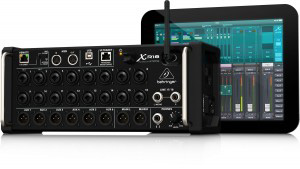
| Behringer Ships X AIR XR18 Behringer today said its X AIR XR18 Digital Mixer for iPad/Android tablets is finally shipping.
The XR18 is a remotely-controllable 18-input/12 bus portable mixer housed in a stage box form factor, and claim it’s the first of its kind designed for use with iPad and Android tablets, as well as smartphones and PC, Mac and Linux computers. XR18 is designed for both live and studio applications and includes 16 Midas-designed mic preamps, an integrated tri-mode Wifi module for wireless control — and a bidirectional USB audio/MIDI interface.
Other features include four high-end X32 stereo FX processors, with close to 50 studio-grade X32’s high-end FX “Plug Ins”; X AIR Gain Sharing technology for hands-free auto-mixing; a high-resolution 100-band Real Time Analyzer (RTA), with full bar and spectrograph views, and Ultranet connectivity for Behringer’s P-16 Personal Monitoring System.
The $699 X AIR XR18 can be found here. Leave a Comment
Share Article
Back to Top |
| Sennheiser Adds SpeechLine Wired Sennheiser is completing its series of installation microphones with a new tablestand-gooseneck combination. The SpeechLine Wired series is for installed sound applications will satisfy even the most demanding customers. Whether it is speech intelligibility, workmanship or design, the installed sound microphones offer top quality in every respect. What is more, the different models of the series also offer flexible solutions for every installation.
The boundary microphones, which share the product name MEB (microphone electrostatic boundary), are available as in-table and on-table models. They each come in three different colors: white, black or Nextel grey, thus providing optimum integration into any meeting environment. The tablestand combinations, which have the product name MAT (microphone accessory tablestand), are available in black and Nextel grey.
The design of the Sennheiser microphones ensures that they blend excellently into any room. The MEB 114 on-table microphone has already won the iF Product Design Award. Flexibility in choosing the right microphone type is also guaranteed by optimum connectivity: the SpeechLine Wired microphones are compatible with all systems on the market. The Sennheiser microphone series therefore offers scalable solutions for every installation.
Audio specialist Sennheiser is now launching the final components of its SpeechLine Wired series: the MAT 153-S tablestand has an XLR 5 input and a programmable, two-color LED ring switch and is phantom-powered. Combined with the new MEG 14-40-L-II gooseneck microphone with a matching green light ring, Sennheiser offers a conference solution that makes installations easier than ever before. Its phantom power enables the tablestand-gooseneck combination to be connected to a microphone cable in the usual manner, thus eliminating the need for additional and costly cabling.
Regardless of the model, color or combination, all SpeechLine Wired installation microphones are available with or without a ‘mute’ switch. The switch, which is indicated by an “S” in the product name, has a two-color LED ring. When the microphone is switched on, the ring is illuminated in green. If the microphone is muted, the color automatically changes to red. This color combination is intuitively recognized by all users, thus making the microphone extremely user-friendly. On the in-table microphones, the LED ring is directly on the microphone itself. The ‘mute’ switch, which also has a light ring, is integrated into the table top.
With its range of microphones in the SpeechLine Wired series, audio specialist Sennheiser offers top-quality solutions for every installation, precisely meeting customer requirements in every case.
The SpeechLine Wired series is here. Leave a Comment
Share Article
Back to Top |
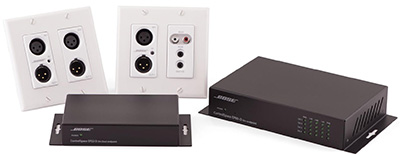
| Bose Professional Expands ControlSpace Dante-Enabled Products Bose Professional has expanded its range of Dante-enabled ControlSpace offerings with several new Dante endpoints and a new fixed-I/O DSP, providing integrators more options for creating installed audio solutions using Dante. The new ControlSpace products — ESP-1600 engineered sound processor; EP22-D and EP40-D endpoints; and WP22B-D and WP22BU-D wall plates — were designed to allow for Dante connectivity in houses of worship, classrooms, conference centers, hotel meeting and ballrooms, sporting and live performance venues and others.
The ControlSpace ESP-1600 extends the line of Bose fixed-I/O engineered sound processors with a new model designed for up to 16 analog inputs. The ESP-1600 features a built-in ESPLink output for sending eight digital audio channels to one or more PowerMatch amplifiers and when combined with a Dante card, the ESP-1600 becomes a powerful, high-quality and cost effective input processor (e.g. stage box) for Dante network distribution.
ControlSpace Dante endpoints, including the EP22-D 2-in/2-out Dante endpoint, EP40-D 4-input Dante endpoint, WP22B-D 2-in/2-out Dante wall plate and WP22BU-D 2-in/2-out Dante wall plate, complement Bose ControlSpace ESP products and PowerMatch lines and share configuration and control using ControlSpace Designer software. ControlSpace Dante endpoints, combined with ControlSpace ESP products and PowerMatch amplifiers, allow installers to create Dante-enabled systems of nearly any size, in either new installations or when retrofitting existing systems. Available in wall-box and rack/wall-mount versions enabling installation in various locations (surface, table, shelf, rack), Bose ControlSpace Dante endpoints are convenient and cost-effective for connecting analog devices like microphones and mixer amps.
Also, the company’s ControlSpace Designer software has been updated to version 4.2 to support the ControlSpace Dante endpoints and the ESP-1600 processor.
Here are all the tech details. Leave a Comment
Share Article
Back to Top |

|
For all you REGULAR readers of rAVe ProAV Edition out there, hopefully you enjoyed another opinion-packed issue!
For those of you NEW to rAVe, you just read how we are — we are 100 percent opinionated. We not only report the news and new product stories of the ProAV industry, but we stuff the articles full of our opinions. That may include (but is not limited to) whether or not the product is even worth looking at, challenging the manufacturers on their specifications, calling a marketing-spec bluff and suggesting ways integrators market their products better. But, one thing is for sure, we are NOT a trade publication that gets paid for running editorial or product stories. Traditional trade publications get paid to run product stories — that’s why you see what you see in most of the pubs out there. We are different: we run what we want to run and NO ONE is going to pay us to write anything good (or bad).
Don’t like us, then go away — unsubscribe! Just use the link below.
To send me feedback, don’t reply to this newsletter. Instead, write directly to me at gary@ravepubs.com or for editorial ideas, Editor-in-Chief Sara Abrons at sara@ravepubs.com
A little about me: I graduated from Journalism School at the University of North Carolina at Chapel Hill (where I am adjunct faculty). I’ve been in the AV-industry since 1987 where I started with Extron and eventually moved to AMX. So, I guess I am an industry veteran (although I don’t think I am that old). I have been an opinionated columnist for a number of industry publications and in the late 1990s I started the widely read KNews eNewsletter (the first in the AV market) and also created the model for and was co-founder of AV Avenue, which is now known as InfoComm IQ. rAVe [Publications] has been around since 2003, when we launched our original newsletter, rAVe ProAV Edition.
Everything we publish is Opt-in — we spam NO ONE! rAVe ProAV Edition is our flagship ePublication with what we believe is a reach of virtually everyone in the ProAV market. rAVe HomeAV Edition, co-published with CEDIA and launched in February 2004, is, by far, the largest ePub in the HomeAV market. We added rAVe Rental [and Staging] in November 2007, rAVe ED [Education] in May 2008 and then rAVe DS [Digital Signage] in January 2009. We added rAVe GHGav [Green, Healthcare & Government AV] in August 2010 and rAVe HOW [House of Worship] in July 2012. You can subscribe to any of those publication or see ALL our archives by going to: https://www.ravepubs.com
To read more about my background, our team and what we do, go to https://www.ravepubs.com Back to Top |
Copyright 2015 – rAVe [Publications] – All rights reserved – All rights reserved. For reprint policies, contact rAVe [Publications], 210 Old Barn Ln. – Chapel Hill, NC 27517 – (919) 969-7501. Email: Sara@rAVePubs.com |
|
|
|